Living between multiple countries has taught me that one of the hardest parts of tax residency isn't understanding the rules—it's keeping an accurate record of where I've actually been.
I travel frequently throughout the year, so remembering every arrival and departure quickly became impossible. I wanted a simple way to monitor how many days I spend in the UAE without constantly checking passport stamps or updating spreadsheets.
That's why I started using Country Days Tracker to automatically record my time in the UAE.
The Problem: Tracking Days in the UAE Manually
When your tax residency or residency planning depends on the number of days you spend in a country, keeping an accurate travel history becomes important.
At first, I relied on:
- Passport stamps
- Flight confirmations
- Calendar entries
- Spreadsheets
It worked for a while, but every new trip meant updating everything again.
I constantly found myself asking:
- Did I already count this trip?
- How many days have I spent in the UAE this year?
- Am I looking at the correct period?
I wanted something that would keep the records automatically instead of depending on my memory.
My Solution: Country Days Tracker
Country Days Tracker automatically records the countries I visit using my iPhone's location.
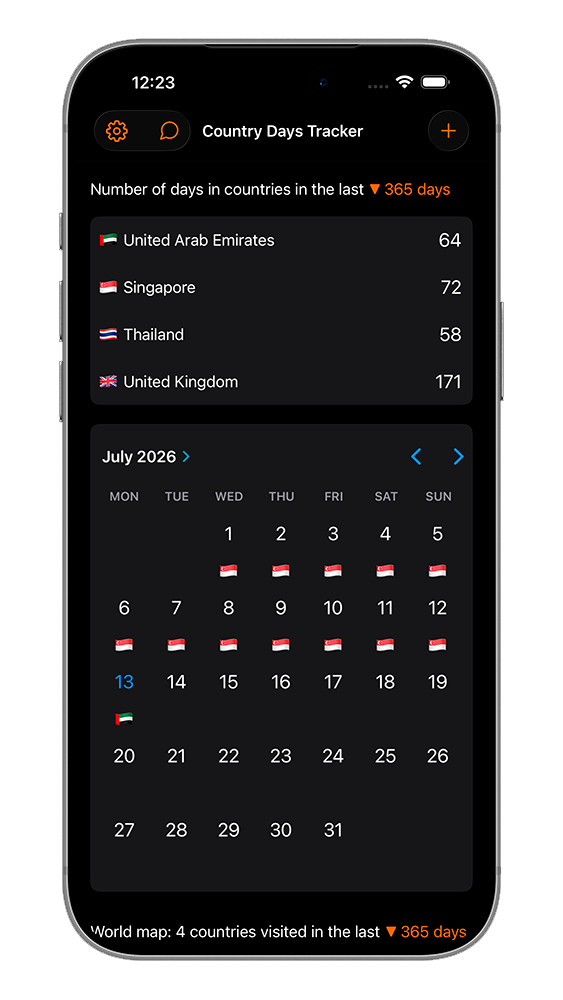
Whenever I arrive in the UAE, the app updates my travel history automatically.
Whenever I leave, it continues tracking my visits in other countries.
Instead of manually recording every trip, I always have an up-to-date timeline of where I've been.
Using Stay Limits to Monitor My Time in the UAE
The feature I use most is Stay Limit.
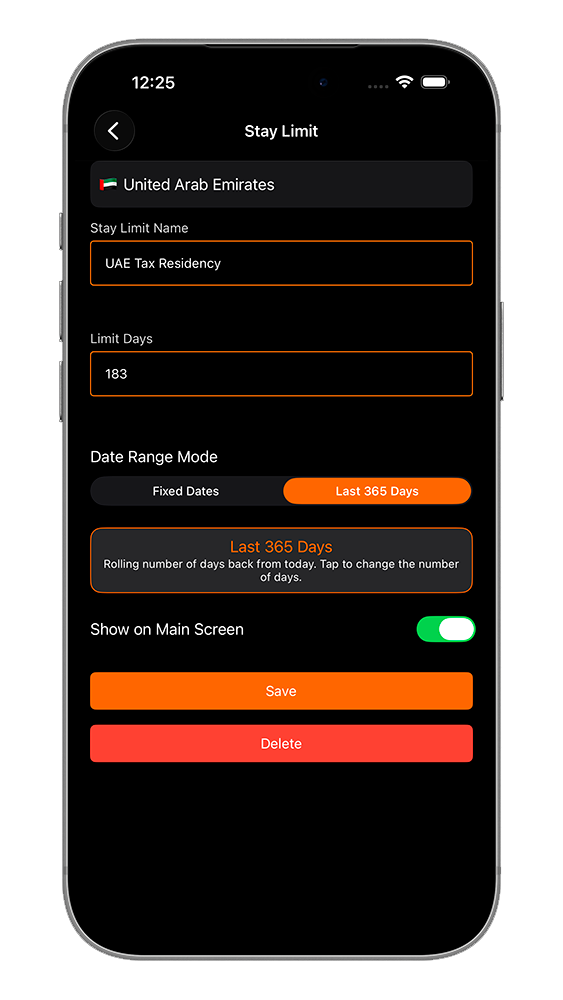
I created a Stay Limit for the United Arab Emirates with my preferred monitoring period.
The app automatically shows:
- How many days I've already spent in the UAE
- How many days remain before reaching my chosen limit
- My current progress throughout the selected period
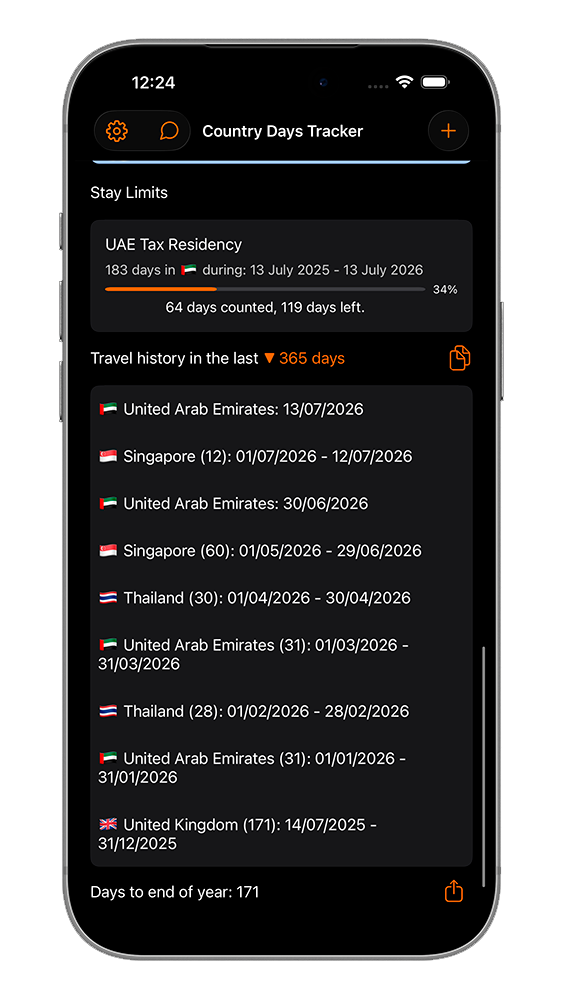
Every time my travel history changes, the numbers update automatically.
I no longer need to calculate anything myself.
Checking My UAE Days from the Home Screen
I also added the iPhone widget to my Home Screen.
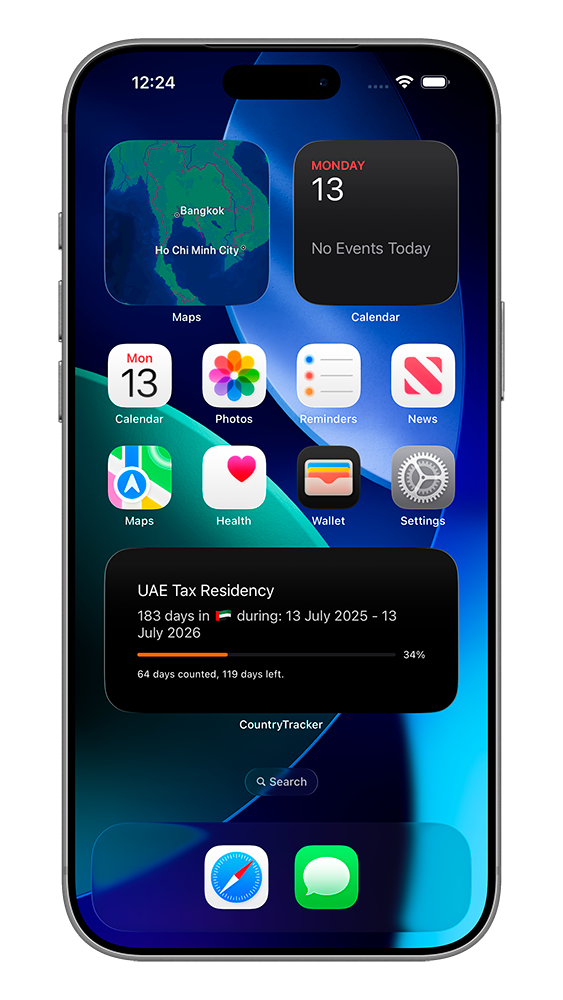
Instead of opening spreadsheets or counting days manually, I can simply unlock my phone and immediately see my current numbers.
This is especially useful before booking another flight because I always know my current position.
Restoring My Previous UAE Travel History
After installing the app, I wanted my earlier trips to be included as well.
Country Days Tracker helped me rebuild my travel history using:
- Photos with date and GPS information
- Flight history imported from supported apps
- Manual entries for older trips
This allowed me to create a much more complete record without remembering every journey manually.
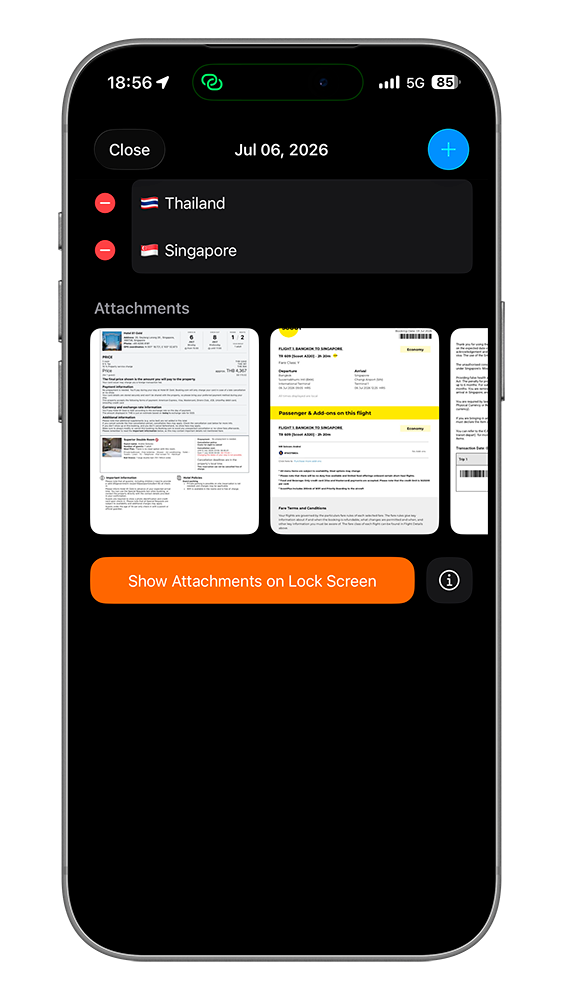
Keeping Supporting Documents Together
For important trips, I attach supporting documents directly to the relevant travel dates.
For example, I might save:
- Boarding passes
- Flight confirmations
- Hotel reservations
- Residency-related documents
- Personal notes
- Photos with date and location
Everything stays attached to the correct visit, making it much easier to review my travel history later.
Exporting My UAE Travel History
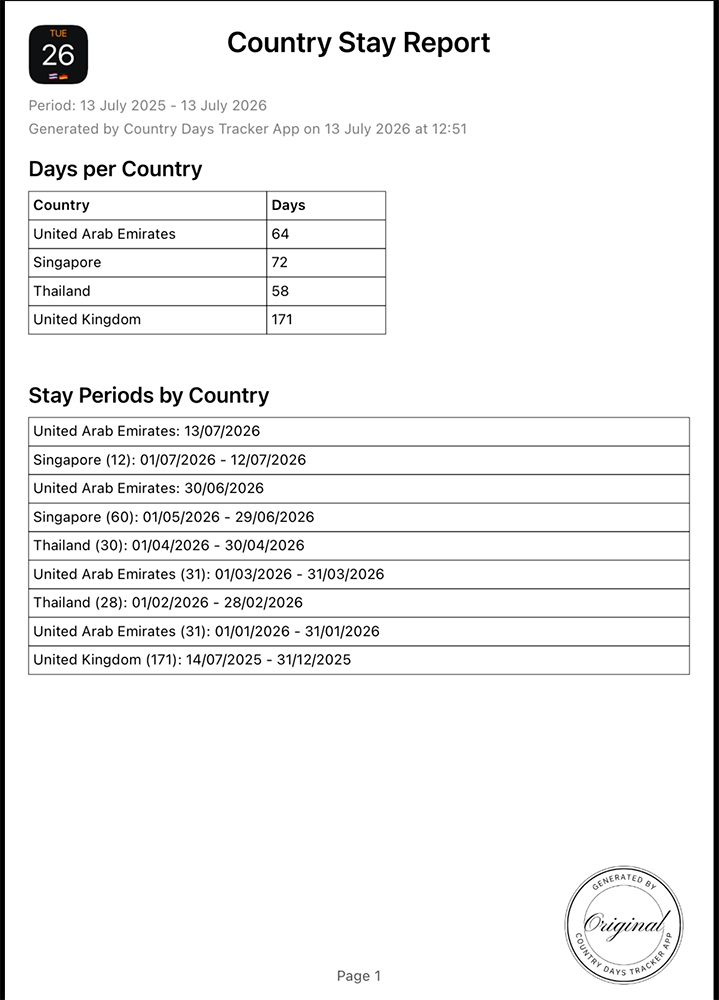
Whenever I need a complete overview of my travel history, I generate a PDF report.
The report can include:
- Countries visited
- Arrival and departure dates
- Duration of each stay
- Travel timeline
- Attached documents
- Supporting photos
Having everything organized in one document is much easier than searching through emails, cloud storage, and booking confirmations.
Why I Prefer This Over Spreadsheets
Spreadsheets only work if I remember to update them.
Country Days Tracker keeps my travel history updated automatically as I move between countries.
For me, the biggest advantages are:
- Automatic country day tracking
- No manual calculations
- Custom Stay Limits
- Complete travel history
- Previous trips restored from photos and flights
- Supporting documents attached to travel dates
- Professional PDF reports
- No account or email required
Why This Matters
Trying to reconstruct several years of travel history later can be surprisingly difficult.
Keeping accurate records while I travel is much easier than trying to rebuild everything afterwards.
With Country Days Tracker, I can:
- Automatically track my days in the UAE
- Monitor my chosen Stay Limit
- Review every trip in a clear timeline
- Attach supporting documents to visits
- Generate PDF reports whenever I need them
The app doesn't determine my tax residency or provide legal advice, but it gives me an organized and accurate record of my travel history, making it much easier to monitor my time in the UAE.
FAQ
How can I track my days in the UAE?
Country Days Tracker automatically records the countries you visit using your iPhone's location and keeps an accurate travel history.
Can I monitor a custom number of days in the UAE?
Yes. You can create a custom Stay Limit for the United Arab Emirates and choose the period you want to monitor.
Can I restore trips that happened before installing the app?
Yes. You can rebuild your travel history using photos with location metadata, supported flight imports, or manual entries.
Can I export my UAE travel history?
Yes. Country Days Tracker can generate professional PDF reports containing your travel history, stay durations, and optional supporting documents.
Does the app determine my UAE tax residency?
No. Country Days Tracker is a travel tracking tool. It helps you maintain an accurate record of your presence in different countries but does not determine your tax residency or replace professional legal or tax advice.